Writing
I spent roughly $100K coding with AI on one project. Then I turned the logs into a city.
Phoenix Universe maps ten months of Cursor conversations and file edits onto a city. Here's how it works and what I changed before making it public.
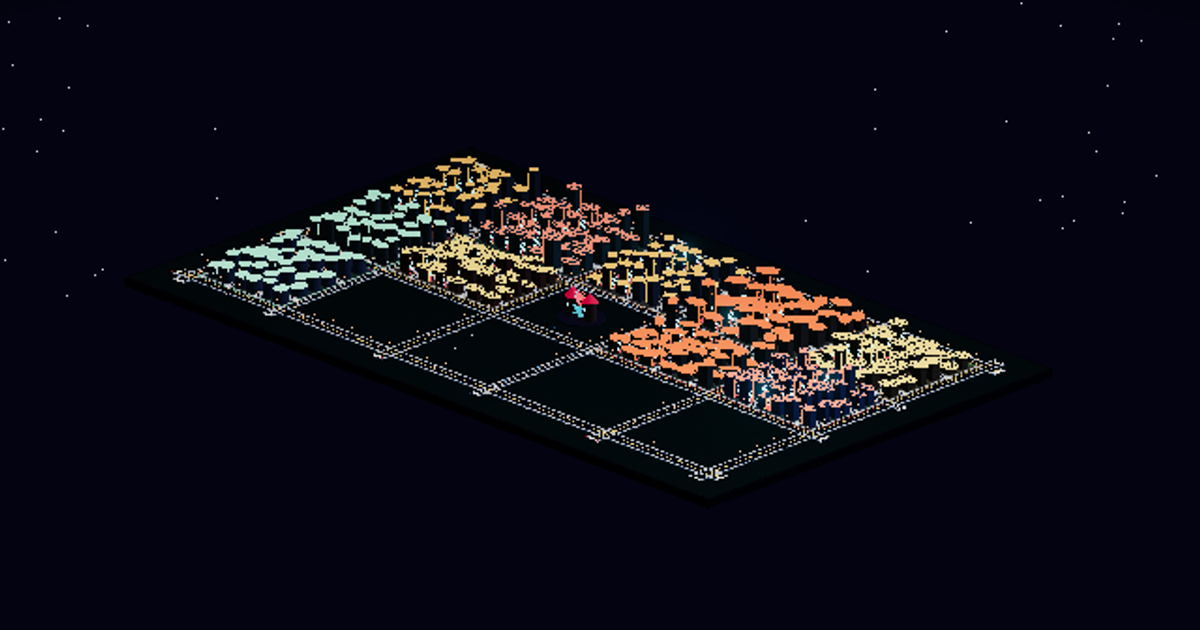
Over ten months, I spent roughly $100K of my own money on Cursor and API calls while working on one codebase with multiple AI models.
Phoenix Universe is what I built from the conversation and editing logs. Conversations become people moving through a city. Workspaces become neighborhoods. Groups of edited files become buildings.
Explore the city, or see the project page for a quick introduction.
The $100K is what I spent on the development work, not what this demo cost to build. There is no billing data in the city. I also changed the data before publishing it, so the public version won’t give you an exact replay of those ten months.
What’s in the city
Each conversation becomes a character. It appears at the Phoenix Core, travels to the district for its primary workspace, and settles there. Labels such as Builder and Scout come from the tools used in the conversation. They don’t tell you which model it used or how good its work was.
For buildings, I group edited paths by topic or feature within a workspace. Each recorded edit adds to the group’s building. This keeps the map manageable instead of putting a separate object on it for every file.
An edit here means the extractor saw an editing tool invoked against a path. It doesn’t confirm that the change succeeded, got committed, or shipped. A taller building just means more recorded editing activity.
You can move the timeline, select characters, inspect their cards, or go down to street level. Inside buildings, the activity panels use the same public data as the rest of the demo. They don’t show my source files. The signs and district names are fictional too.
From local logs to one HTML file
The generator reads local Cursor transcripts and fills in records from Cursor’s local SQLite state store. It opens the database read-only. When both sources have the same conversation ID, the transcript takes precedence.
The extractor keeps timestamps, tool names, counts, path references, and shell verbs. It leaves out prompts, assistant responses, and full tool inputs. Paths help assign activity to workspaces and building groups during the private build, then get removed from the public output.
The build puts the transformed JSON and a bundled Three.js renderer into one HTML file. You can open that file from disk without network calls. Exploring it doesn’t fetch my conversations or code.
Before a public build is accepted, the pipeline checks the allowed fields and scans for prohibited names and strings that look like paths. That catches mistakes, but it isn’t a guarantee that anonymization is perfect.
What I changed before publishing
I replaced names, removed paths and the private file table, shifted and bucketed dates, and coarsened the activity counts. I also added synthetic records and districts. The dates and totals on screen aren’t the original ones. Mission descriptions are fictionalized and may be synthetic. Links between characters and buildings are capped, so you won’t see every contributor.
Time estimates have their own limits. The private calculation caps gaps between user turns; it doesn’t measure hours worked. If a conversation has no usable per-turn timestamps, it stays untimed. The public version buckets the remaining time values as well.
All of this limits what you can learn from the map. It can’t tell you whether the code was good, which model performed best, or whether the spending paid off. Billing and model identities aren’t in the dataset, so you can’t calculate cost per conversation either.
To watch the city grow, start at the beginning and press Space. The timeline is in Menu → City map.